


So Google is getting even more into computing with the development of their new Chrome OS. It's based on the Chromium OS project, their open-source OS platform. (Chrome OS is specific to the hardware on-board Google's netbooks.)
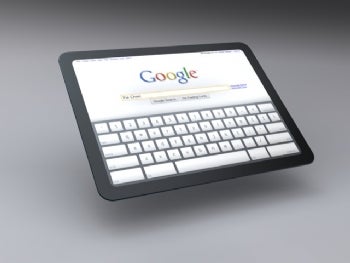
It's primarily a web-based OS - there is very little software on board the computer, to the point where it literally boots up in a matter of seconds. (I've seen it - it's a thing of beauty.) The entire interface runs out of Google's Chrome browser, with the ability to install and run web apps. It's got VGA and USB ports, and both Wi-Fi and 3G radio on board. (It also comes with 2 years free of Verizon (?) 3G connectivity, which starts only once you activate it.) One major hardware change - they've replaced spinning hard drives with flash memory. It's sleek, it's fast, it's cool.
I had heard some whisperings of it, but didn't really get a chance to see it in action until I ran into Stephen, a student at my school. He is a computer programmer and TSA member, and was approved to pilot one of Google's CR-48 Chrome netbooks for free. I had a chance to see it in action a bit, and Stephen seemed initially impressed with it. He and I were drawn to it for the same reasons - curiosity about whether it was a viable computing alternative, and interest into whether it would work for some of our day-to-day computing needs.
Needless to say, I promptly submitted my own application. I registered as an educator, and requested about a dozen netbooks for some students and staff to test out. (I'm hoping I wasn't asking for too many, and wrecked my chances.) Our district uses web-based services which are reported to have to use Internet Explorer, so I'm interested to see how well the Chrome netbook is able to integrate with some of those services.
A quick, lightweight, simple-to-use-and-maintain netbook like this has great promise for teachers and students - I'm really hoping that Google will approve my meager request to have educators field-test them. With my school's BYOT initiative, it seems a great fit to provide students and teachers with another technology alternative, to see if it can hold up to the rigors of the classroom.
I sat down with Stephen the other day, because I wanted to capture his ideas and opinions of the Cr-48 and Chrome OS experience from the beginning. He's had his netbook for about two weeks now. After the audio file, I'll give you a quick summary of his comments.
Tell me a little about what your computing background is.
- Linux, Windows and Mac user
- Some programming in Visual Basic, PHP, Java, JavaScript
- Teaching himself C#
Tell me a little of what you know about the Google OS.
- It's all web-based; appears to be based on Linux
- Can't "dig" into the Chrome OS like you can with Windows
- Would like to open up the file system more, but understand why they haven't
- Interface is through Chrome browser
- Apps run faster - perhaps because of the solid-state HD, perhaps fewer processes running
What attracted you to the Google OS notebook?
- It was free :), plus free 3G for two years
- Wanted a netbook - has a very robust laptop for programming and gaming, but bulky
- Too large a footprint to use effectively in the classroom (with books, papers, etc.)
How much getting used-to did it take?
- 2-3 days to get used to it, particularly the keyboard
- Has been trying to use it exclusively (part of the requirements of pilot program)
- Sometimes switches to other laptop, because Flash seems a little "laggy" and buggy
- Loves the fact that updates happen automatically - apps and browser
Do you think this could be a useful tool for teachers and students?
- Useful particularly for students - good battery life, keep notes online
- Fast - before, taking quick notes was faster on an iPod, now taking this out is faster
Do you see that the Google OS notebook might have any drawbacks, particularly for educational use?
- Wi-Fi and 3G are necessary - if you don't have an internet connection, there's not much you can do
- Some apps will work offline temporarily, but not a whole lot of offline
- Google is working on Gmail and Docs offline
- 3G is getting cheaper, so it's a more viable solution
- Good cheap plans - including pay-as-you-go



 Posts
Posts


