Whiteboards

Just a new way to conduct old-fashioned teaching?

Net Neutrality and Education

Why does it matter?

9.14.2011

Engage Me with IT - Project-Based Learning: Reflection on Session 1

This is the second in a series of posts related to Engage Me with IT.

Our first Project-Based Learning session was quite interesting. Our focus was on the notion of open vs. closed questions. Closed questions tend to be information-gathering or low-level questions - very rarely is knowledge formed from such questions, but rather students look up knowledge of others. Open questions, on the other hand, challenge students to form their own knowledge - they can take that basic information and do something with it. I saw a great summarization: closed questions tend to be answered with shorter answers, and open questions have longer answers.

We also briefly discussed performance tasks, and the challenge of teachers constructing such tasks. GRASPS is a framework for helping teachers design performance tasks:

  • Goal: What is the goal of the activity for the students?
  • Role: What is each student's job?
  • Audience: Who will be receiving the results of the task?
  • Situation: What is the scenario under which the students will be acting?
  • Product/Performance/Purpose: What will be created?
  • Standards and criteria: How will the task be judged/evaluated?
We'll continue to look at this framework in later classes.

As a follow-up activity to the first session, there are four questions to reflect upon:
  1. What ideas are sticking with you from today?
    I particularly liked our sharing of closed and open questions. Everyone developed an example of closed and open questions, and then meandered around the room sharing with others. Then as a group, we each shared one question that we really liked.
    Everyone agreed that the open questions were much more interesting and intriguing than closed questions - if teachers think so, I know students think so.
  2. What ideas affirmed your pre-existing assumptions about PBL?
    In my experience, teachers tend to balk at implementing project-based learning because it can be more time-consuming - more time to develop and plan tasks, more time to implement during class, etc. But I also believe that spending a little more time on higher-level tasks can pay off on developing better thinkers.
  3. What questions do you want to address next?
    This is perhaps a little big as the next single topic to discuss: I've always liked the idea of project-based learning taken to the level of simulation or immersion - becoming deeply engaged in the scenario of the task. In my former life as a science teacher, I had the idea of running my chemistry classroom like a research lab, in which students received grade reports structured like paychecks, labs were real-world problems for which students had to develop the experimental technique and "purchase" the equipment, and produce products or information for clients. I'd like to revisit that idea - of creating an immersive PBL environment and what it can do for student achievement.
  4. How and when will you use what you've learned today?
    My first challenge is to look at how I want to redeliver this to my staff. PBL looks different in every department, so I think I'll need to reach out to my technology-savvy teachers to help craft a professional development plan for redelivery. I might even start with the simpler task of introducing/discussing closed vs. open questions.


8.17.2011

Engage Me with IT - Project-Based Learning: Introduction

This is the first in a series of posts related to Engage Me with IT.

For the 2011-2012 school year, our county Technology department is offering some professional development under the umbrella of Engage Me - a district-wide framework that is intended to help teachers develop learning experiences and products that have high expectations and result in student engagement.

Technology is offering three Engage Me with IT series of courses - BYOT (Bring Your Own Technology), CLOT (Collaborative Learning Online Tools), and PBL (Project-Based Learning). As we are heavily engaged in piloting BYOT concepts here at my school, and I feel pretty comfortable with finding and using online tools for collaboration, I chose to engage in the Project-Based Learning course.

As a former science teacher, PBL has always been something that I've been interested in, both as a teacher and an instructional coach. The power of students learning by asking and answering their own questions is often lost in most classrooms - even science classrooms. My interest in simulation games is a close fit to PBL, so I'm hoping I'll be able to add some insight into each (PBL and gaming) from the other.

Part of the class is to post reflections on the content discussed during each face-to-face session; I'll be posting mine here, along with any useful PBL items we uncover.

2.10.2011

Google's new Chrome OS Netbook


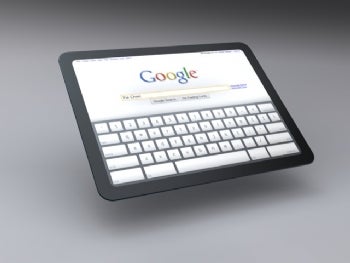
So Google is getting even more into computing with the development of their new Chrome OS. It's based on the Chromium OS project, their open-source OS platform. (Chrome OS is specific to the hardware on-board Google's netbooks.)

It's primarily a web-based OS - there is very little software on board the computer, to the point where it literally boots up in a matter of seconds. (I've seen it - it's a thing of beauty.) The entire interface runs out of Google's Chrome browser, with the ability to install and run web apps. It's got VGA and USB ports, and both Wi-Fi and 3G radio on board. (It also comes with 2 years free of Verizon (?) 3G connectivity, which starts only once you activate it.) One major hardware change - they've replaced spinning hard drives with flash memory. It's sleek, it's fast, it's cool.

I had heard some whisperings of it, but didn't really get a chance to see it in action until I ran into Stephen, a student at my school. He is a computer programmer and TSA member, and was approved to pilot one of Google's CR-48 Chrome netbooks for free. I had a chance to see it in action a bit, and Stephen seemed initially impressed with it. He and I were drawn to it for the same reasons - curiosity about whether it was a viable computing alternative, and interest into whether it would work for some of our day-to-day computing needs.

Needless to say, I promptly submitted my own application. I registered as an educator, and requested about a dozen netbooks for some students and staff to test out. (I'm hoping I wasn't asking for too many, and wrecked my chances.) Our district uses web-based services which are reported to have to use Internet Explorer, so I'm interested to see how well the Chrome netbook is able to integrate with some of those services.

A quick, lightweight, simple-to-use-and-maintain netbook like this has great promise for teachers and students - I'm really hoping that Google will approve my meager request to have educators field-test them. With my school's BYOT initiative, it seems a great fit to provide students and teachers with another technology alternative, to see if it can hold up to the rigors of the classroom.

I sat down with Stephen the other day, because I wanted to capture his ideas and opinions of the Cr-48 and Chrome OS experience from the beginning. He's had his netbook for about two weeks now. After the audio file, I'll give you a quick summary of his comments.


Tell me a little about what your computing background is.
  • Linux, Windows and Mac user
  • Some programming in Visual Basic, PHP, Java, JavaScript
  • Teaching himself C#

Tell me a little of what you know about the Google OS.

  • It's all web-based; appears to be based on Linux
  • Can't "dig" into the Chrome OS like you can with Windows
  • Would like to open up the file system more, but understand why they haven't
  • Interface is through Chrome browser
  • Apps run faster - perhaps because of the solid-state HD, perhaps fewer processes running

What attracted you to the Google OS notebook?

  • It was free :), plus free 3G for two years
  • Wanted a netbook - has a very robust laptop for programming and gaming, but bulky
  • Too large a footprint to use effectively in the classroom (with books, papers, etc.)

How much getting used-to did it take?

  • 2-3 days to get used to it, particularly the keyboard
  • Has been trying to use it exclusively (part of the requirements of pilot program)
  • Sometimes switches to other laptop, because Flash seems a little "laggy" and buggy
  • Loves the fact that updates happen automatically - apps and browser

Do you think this could be a useful tool for teachers and students?

  • Useful particularly for students - good battery life, keep notes online
  • Fast - before, taking quick notes was faster on an iPod, now taking this out is faster

Do you see that the Google OS notebook might have any drawbacks, particularly for educational use?

  • Wi-Fi and 3G are necessary - if you don't have an internet connection, there's not much you can do
  • Some apps will work offline temporarily, but not a whole lot of offline
  • Google is working on Gmail and Docs offline
  • 3G is getting cheaper, so it's a more viable solution
  • Good cheap plans - including pay-as-you-go

2.04.2011

iPads in schools? Too much, I think

Not too long ago, news floated around that Georgia legislators were looking at the option of replacing school textbooks with iPads. With the rise of more portable devices - larger than a cell phone, which would not be a great medium for reading books regularly - this seems like a natural step for educators.

Employing a digital device to handle the print material allows for easier updates of content: rather than the cost of writing, editing, printing, binding and shipping thousands of new textbooks, the content can be updated on a digital file and made available for download. Additionally, the content on a digital device can be more appropriate for this generation of learners - infused with images and multimedia, interactive, shareable, and integrated into other resources (like the web).

My concern with this is the device itself. Granted, I have not had the opportunity to play with an iPad, but I do know that the general public has a very "starry-eyed" view of anything Apple produces lately. While the iPad might be the most visible tablet device, it still lacks elements that would make it a killer educational tool.

First is the price - I've always felt that part of the price in newer Apple products is due simply to the name. (Why is it that the iPad has taken off lately, whereas Windows tablets from about a decade ago seem to have fallen into shadow?) To make it an effective educational tool, it needs to be a lot cheaper, so that schools and systems can afford to replace them regularly - and to make them available to teachers, as well.

Secondly is the proprietary nature of the iPad. Apple's always been notorious for holding onto the programming of its devices - and while writing apps is accessible (for example, using IntroWizard or AppBreeder), I imagine working with the OS is not. That might be a huge sticking point for school systems with well-developed IT infrastructures.

So while I applaud Georgia legislators for looking forward, I think aiming for the pie-in-the-sky iPad is not the right way to go. I had a chance recently to preview a Barnes & Noble Nook from the B&N across the street from my school. The Nook is powered by Google's Android OS, and has just about as simple an interface as the iPad. It and similar devices have the ability to host and run apps, browse the web, etc. I'm not sure licensing with Barnes & Noble is necessarily the right answer, either, although with a smaller pricetag (in the $200-250 range, as opposed to $499 and up for the iPad) it's much more cost-effective.

Okay - so here's my killer educational device:

  • An Android-powered tablet - Android is infinitely more customizable than the iPad OS.
  • Multiple USB ports for students and teachers to connect jump drives, peripherals, etc.
  • Wireless VGA for teacher tablets. (This might be cumbersome right now, so the technology still needs some developing. Allowing teachers to be freed from cords while displaying work on a projector or interactive whiteboard is a deal-closer for me.)
  • Wi-Fi capability to connect to a school's or location's Wi-Fi network.
  • An on-board integrated software security package that includes:
    • GPS access to help retrieve the device in the event of loss or theft.
    • monitoring software, accessible through teacher administrative software - this could both monitor student's activity, and incorporate "screen-sharing" or remote control to allow teachers to interact with a student's tablet.
    • anti-virus software.
  • A tweak to the Android OS that restricts installation of apps - either through password-protection, network verification (only when connected to a specific Wi-Fi network, for example), or some other control measure.
  • Simple device control buttons for the most common functions - Home key, left/right keys for page navigation, Internet key.
If someone could develop a device for cheaper than most on the market, and market it specifically to schools and school systems, that would be an outstanding emerging market, so to speak.

I'm really excited to see what develops with this technology in the educational arena this year.

1.14.2011

Ahead to 2011

Happy New Year everyone! The holidays didn't quite permit me the time to post as I thought they would, so I guess it's time to get back to it now that the new year is here.

Thinking about what I want to do in 2011, a couple of things come to mind.

Stay Connected to Issues

There was a lot that transpired in 2010 in the educational venue - Michelle Rhee in the D.C. school system and her creation of Students First, the National Technology Education Plan, President Obama's moves to support education, NBC Network's Education Nation conversation. Several of those I felt that I was only aware of peripherally or after-the-fact, and I feel kind of irresponsible about that. My personal feeling is that, within my lifetime, there's going to be a radical upheaval in education that will shift how teaching and learning appear - hopefully, some of these initiatives are going in the right direction (Education Nation bringing the conversation about education to the forefront), although some perhaps are not (Michelle Rhee's tactics). In any case, I'm going to spend some time retroactively looking at some of those issues (posts to follow).

Stay Connected to People

One concept which has grown exponentially with the increase in connectivity tools - Facebook, Twitter, Linked In, online learning, etc. - is the Personal Learning Network (PLN). Those who have embraced it have found fantastic uses for it, such as on-demand training and assistance, connecting with people at local and national conferences, etc. Most educators have similar networks in place but might not have an actual label for it. Our school district is shortly (by the end of January, hopefully) going to move towards removing some of our restrictive internet filters on teacher accounts, so that faculty and staff can access sites that might have some educational relevance. These include the sites I mentioned above, but also Google Images, YouTube and other similar media sites.

With our faculty now being able to access these tools at school, it makes their Personal Learning Network - and mine - much more accessible. Those teachers who may not have a data plan or smart phone in order to access those sites around our firewall (alas, I fall into that category) can now access them using their school laptops, and reap the benefits of PLN's. Over the next few weeks, I'm going to collect some information and relevant blog posts to share with my staff on developing and utilizing their PLN and create an online training using our course management system.

That's a start - don't want to bite off more than I can chew. After a disappointingly silent end of 2010 for techieteacher, I want to get back into the swing of things. Those two things will give me plenty to do.